
LiteSpeed for SQL Server
Get high-speed, storage-efficient, backup and restore for SQL Server databases – ensure the correct SQL Server data is restored and available as quickly as possible with a wide variety of backup and recovery options.
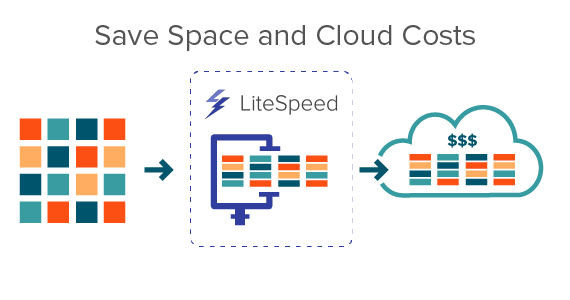
Partner LiteSpeed with Quest QoreStor and reduce cloud storage costs further with deduplication, compression, encryption, and intelligent Cloud Tiering.
Benefits
Reduce Cloud Storage Costs
Smaller backup footprint has a direct impact on reducing storage costs. More so, smart clean-up can intelligently manage and remove old storage and wasteful archived backups.
Compliance risk with unsecured backups
Are your backups as secure as your online data?
Encrypting your backups is crucial for the survival of your organization as
backups increasingly become targets of cyber threats.
Control and Confidence amid SQL Server sprawl
Define, schedule and manage all your backup and recovery jobs from one central location. Develop your backup strategies and deploy them to hundreds of instances and thousands of databases.
Restore individual objects
The most common request is to restore single objects and tables. LiteSpeed recovers objects and tables from not only LiteSpeed backup files, but also native SQL Server backups.
Avoid corrupt backups
When was the last time you restored or tested for the backup for corruption? LiteSpeed offers the ability to verify the backup without restoring it and validate that a file has not been corrupted.
Avoiding full restores
Roll back a critical transaction without a full restore. Query level access of backup data removes the time and challenge in restoring backup data back into production services.
Tour
LiteSpeed Central Repository
Dashboard for detailed backup / restore activity with option to quickly re-execute backups as needed.
Resources
Quest LiteSpeed for SQL Server
Minimize backup size and duration with high-speed SQL Server backup, compression and restore.
LiteSpeed and QoreStor
Minimize backup size and duration with high-speed SQL Server backup, compression and restore.
NetVault for SQL Server
Complete data protection for physical, virtual and cloud environments
The Fundamental Guide to SQL Query Optimization
5 tips, using copy-and-paste SQL Server examples, to improve SQL Server performance.
Improving database performance in small and medium businesses
How a typical company with typical growing pains used Foglight® by Quest® and SQL
Performance Investigator to address database...
The Essential Playbook for Optimized SQL Server Management
Discover the essentials of optimizing SQL Server management in your organization. Read our e-book to learn how successful datab...
Identity-Driven Zero Trust Enhancing Cybersecurity
Identity-Driven Zero Trust Enhancing Cybersecurity