
Toad Data Studio
Your multi-platform database management tool. Toad® Data
Studio is an all-in-one solution for simplified database management in a
heterogeneous environment. If your dynamic business landscape requires a
diverse array of databases where you store, manage and retrieve the data
critical to your operations, this is the key to unlocking seamless efficiency
and enhancing productivity through schema compare and data compare across
multiple platforms.
 01:26
01:26
Key product features
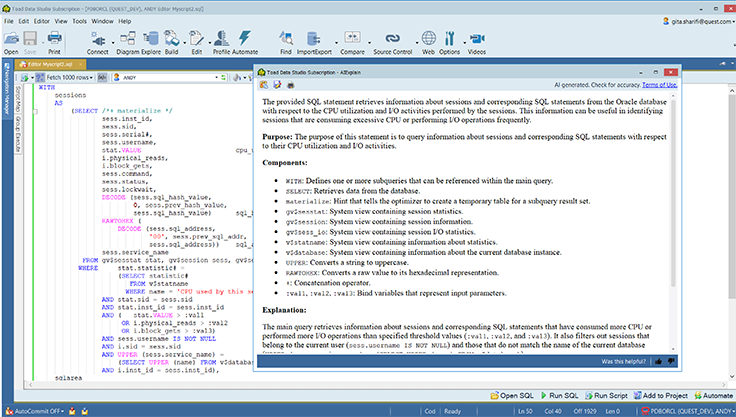
Integrated AI explain
Quickly receive natural language descriptions and summaries of unfamiliar or complicated code at the click of a button. This can help to increase speed and efficiency with experienced DBAs or help to assist those less versed in coding.
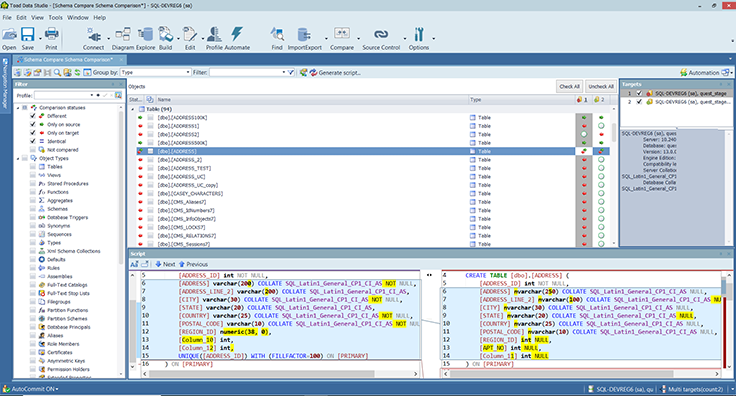
Schema compare
Identify and resolve discrepancies between database schemas, which is essential for maintaining data integrity and seamless integration. By comparing and synchronizing schemas, you can ensure that database management is streamlined, errors are reduced and workflows are enhanced.
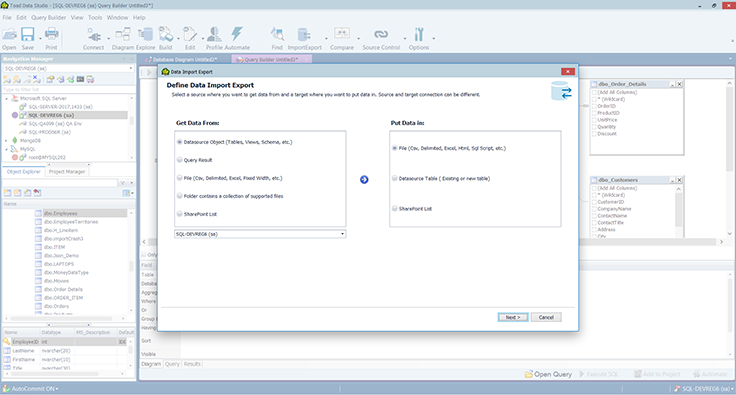
Single tool for multiple data sources
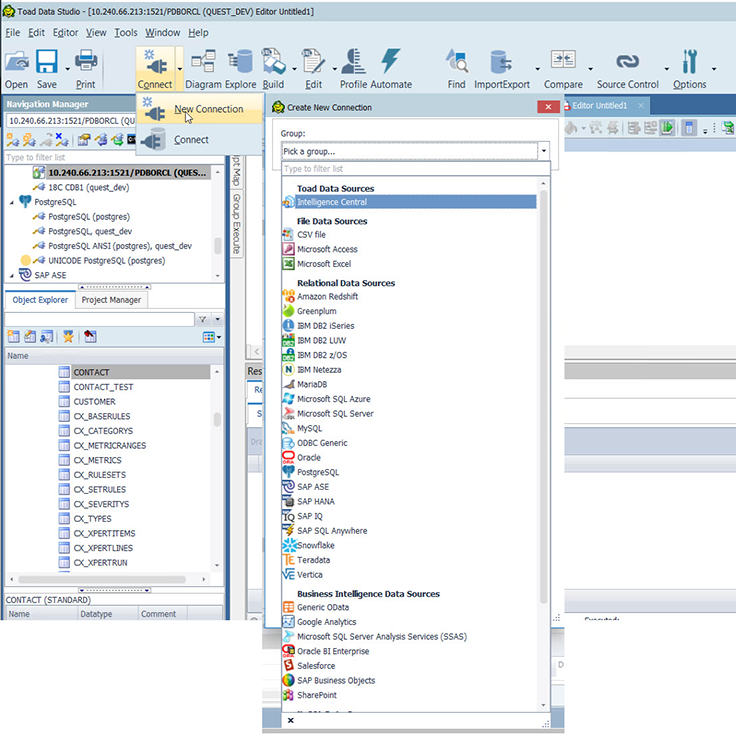
Connect to nearly any data source, including top on-premises and cloud relational databases, popular NoSQL sources and more. Heterogeneity allows you to choose the most suitable database technologies and strategies for your specific needs.
Database Administration
Enables access to the latest editions of SAP ASE, IQ, Anywhere, and HANA. Streamlining SAP database development and administration tasks for faster, more efficient workflows.
SQL & DDL generation
Quickly generate SQL for existing objects with one-click SQL generate for basic statements and easily create DDL.
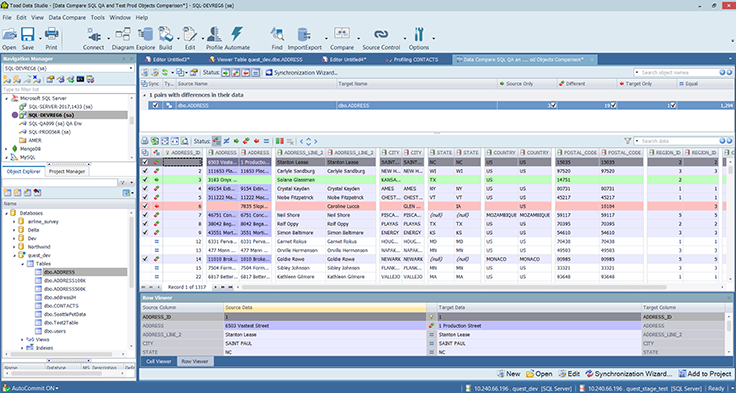
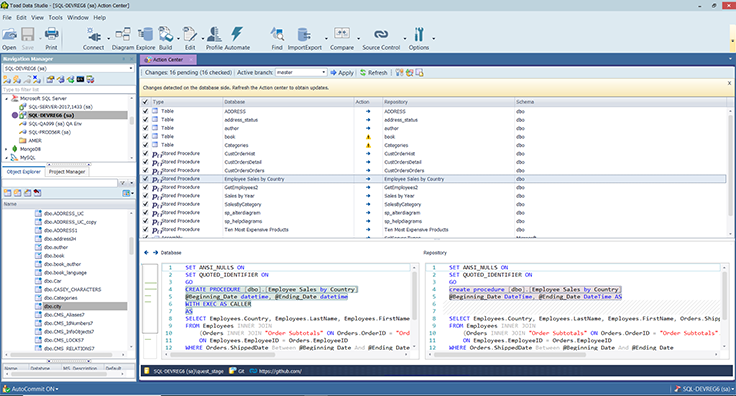
Data compare
This provides robust data comparison capabilities across different environments, such as comparing SQL results from a data source tree. Users can quickly and efficiently obtain a visual representation of data discrepancies for more enhanced synchronization and version control.
SQL editor
Our full feature SQL editor supports standard SQL syntax as well as data source specific dialects, which means that data engineers have full usage and editing of the primary database language that they are likely to come across on a daily basis.
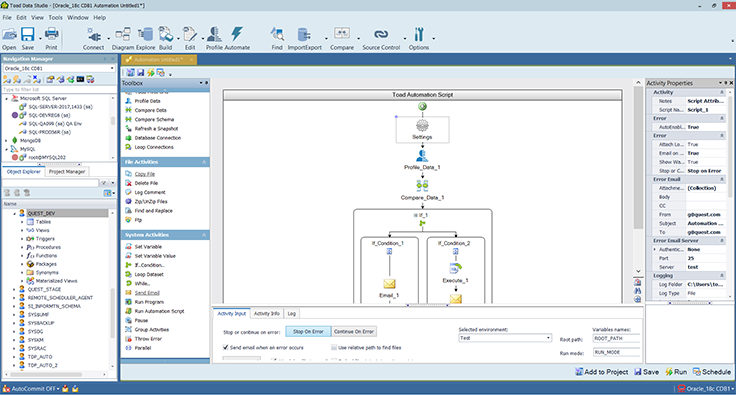
Desktop automation
Users can automate on the desktop as well as publishing live automation into a server environment. Published automations can be shared with other users for visibility into the automated routines and collaboration.
Tour
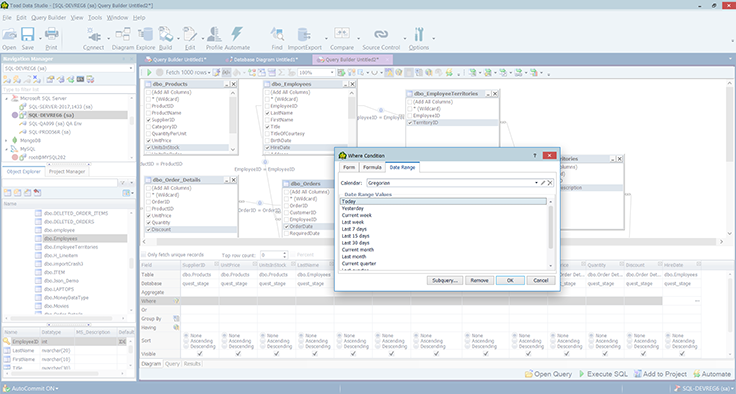
Simplify SQL queries
Write and edit queries without expertise. A customizable UI automates formatting and speeds editing.
Specifications
To see a full list of system requirements, please visit https://support.quest.com/toad-data-studio/
Supported platforms
Transform how you manage your database landscape with unified integration for heterogeneous environments.
Get started now
Manage multi-platform database landscapes with Toad Data Studio.
Resources
Toad Data Studio Datasheet
Toad Data Studio is an all-in-one solution for managing multi-platform database environments.
Toad Subscription Products
Develop and manage Oracle databases with less time and effort.
Why DBAs Win with GenAI
This eBook cuts through the noise to give you a realistic picture of what GenAI means for database administrators today. No mar...
How to Modernize Your Databases With Data Modeling
Discover how data modeling modernizes your databases by improving efficiency, reducing errors, and enabling real-time analytics...
DBTA Report: The Future of Database Management
The Future of Database Management Report delves into the evolving landscape of data management technologies and strategies. It ...
5 Reasons to Adopt (or Migrate to) PostgreSQL
Discover the strategic advantages of adopting or migrating to PostgreSQL in our comprehensive white paper, "5 Reasons to Adopt ...
5 Database Migration Traps to Avoid
In this paper, we will explore five common traps that organizations fall into during database migrations and provide practical ...
FAQ Generative AI data sharing privacy and protection methods
Discover how Quest Software handles AI data in Toad and Foglight. Learn about privacy, security, and feedback controls. Registe...